
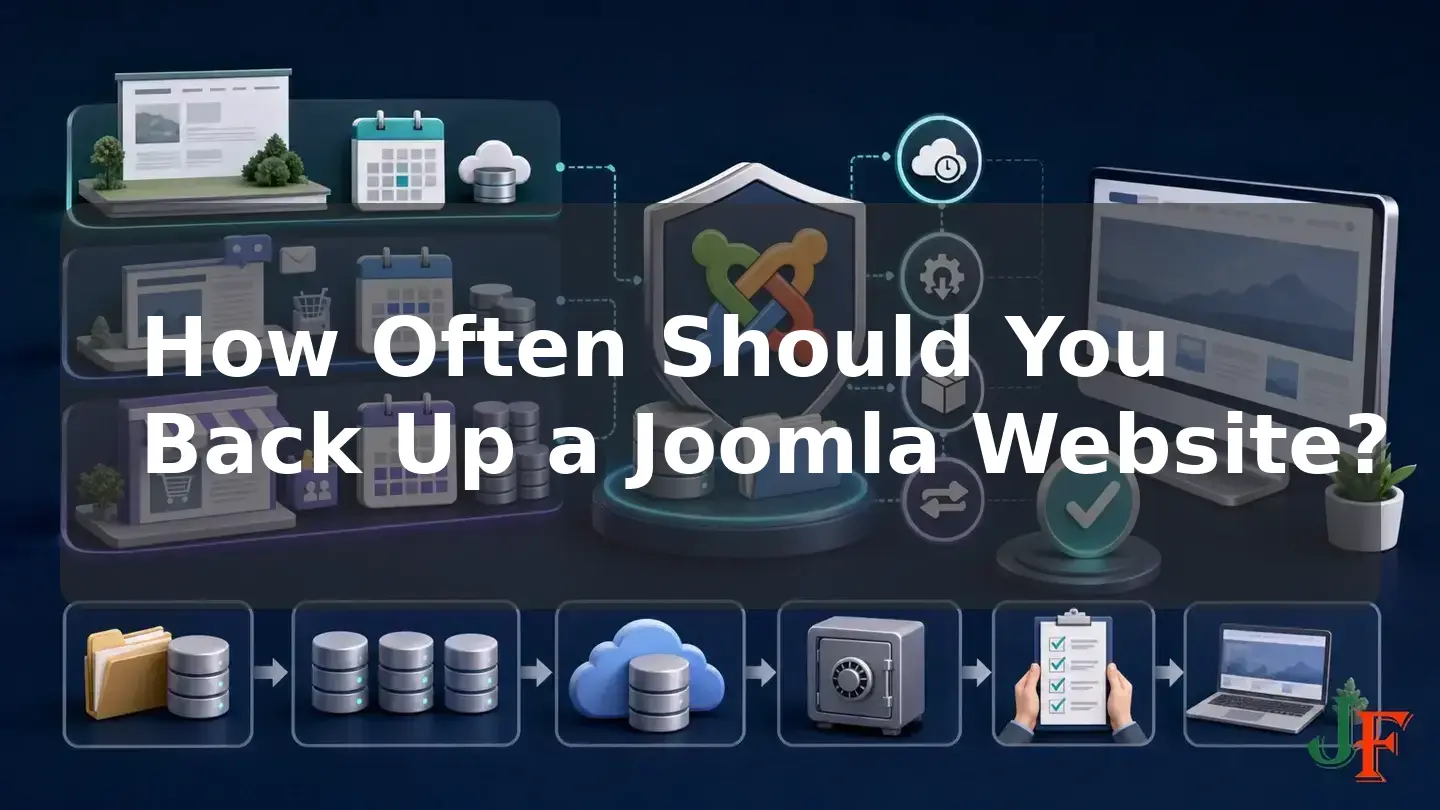
There is no universal Joomla backup frequency that is right for every website. The correct interval depends on how often your site changes and how much recent data your business could accept losing after a failure. A nearly static brochure site may be adequately protected by weekly backups, while a site collecting leads, publishing articles, accepting bookings, processing orders, or managing members will usually need daily or even multiple-daily protection.
The schedule is only one part of the decision. A complete backup must include the Joomla database and site files, multiple generations should be retained, and at least one copy should be kept away from the production server. You also need an additional backup before updates and substantial changes. This guide compares the main schedules, explains how to choose one using your recovery objective, and provides a practical process for automating, monitoring, retaining, and testing Joomla backups.
Quick answer: Match Joomla backup frequency to acceptable data loss
Start by asking one business question: How much recently entered or changed data could we afford to lose? The answer defines your recovery point objective, or RPO. NIST defines an RPO as the point in time to which data must be recovered after an outage, and its continuity guidance connects backup frequency to recovery objectives. This is a version-independent business continuity framework, not a fixed Joomla rule. See the NIST Recovery Point Objective glossary and NIST backup and recovery guidance.
If you back up once per day, a failure shortly before the next backup could leave almost a day of changes outside the latest recovery point. If that would mean losing too many orders, form submissions, bookings, registrations, or edits, shorten the interval. Conversely, weekly protection may be reasonable for a genuinely low-change site when losing approximately one week of changes would be acceptable.
Practical baseline: Consider weekly full backups for a nearly static site, daily backups for a normally active business site, and multiple backups per day for a rapidly changing transactional or community site. Add a separate backup immediately before an update or substantial change. These are risk-based examples, not mandatory Joomla schedules.
Joomla's legacy backup guidance says daily or weekly full backups are normally enough for an average website. It also advises backing up an active site's database at least twice per week and potentially every day or more often. These are enduring general principles from the legacy documentation, not Joomla 6-specific mandates. Your change rate and acceptable loss still determine the interval. See Joomla's legacy backup best practices and Backup Basics for a Joomla! Web Site.
Daily vs. weekly vs. before-update backups

| Backup interval | Best suited to | Potential exposure | Important qualification |
|---|---|---|---|
| Weekly | Genuinely low-change brochure or reference sites | Up to approximately one week of changes | Use only if that amount of loss is acceptable; low traffic does not necessarily mean low-value data. |
| Daily | Active business, publishing, lead-generation, booking, or membership sites | Up to approximately one day of changes | A practical baseline rather than a requirement for every Joomla site. |
| Multiple times per day | Rapidly changing stores, booking systems, communities, and membership sites | Depends on the chosen interval | Set the interval from the amount of transactional or user data the business can lose. |
| Before an update or major change | Every site about to undergo a potentially disruptive change | Changes since the latest scheduled backup | This event-driven copy supplements the regular schedule; it never replaces it. |
When weekly backups may be sufficient
A weekly website backup schedule may be suitable when the site is almost static. Examples include a brochure site whose pages, media, extensions, settings, and form data rarely change. Even then, the deciding factor is not site size or traffic. It is whether the business could recreate everything added or changed since the previous backup.
For example, a low-traffic website might still receive one highly valuable sales enquiry each day. If those submissions are stored in Joomla or an extension's database tables, a weekly schedule could expose several important leads. In that situation, daily database or full-site protection may be appropriate despite the low visitor count.
Use weekly backups only after documenting that approximately one backup interval of potential loss is acceptable. Also create an additional backup before updates, imports, migrations, template changes, or substantial administrative work.
When a Joomla site needs daily backups
A Joomla daily backup is a reasonable risk-based baseline when changes occur most days. Relevant changes include new or edited articles, form submissions, registrations, bookings, orders, membership activity, comments, uploaded media, extension data, and configuration work.
Daily protection reduces the maximum expected loss compared with a weekly schedule, but it does not eliminate it. If an online store processes orders throughout the day, a once-daily backup could still leave nearly 24 hours of activity outside the newest recovery point. Compare that exposure with the cost of reconstructing transactions or contacting affected customers.
The legacy Joomla documentation distinguishes between full-site and database frequency. It recommends at least twice-weekly database backups for active sites and notes that daily or more frequent database protection may be needed. A database backup between full-site backups can preserve frequently changing content, but it is not a complete recovery package because it omits filesystem changes.
When high-activity sites need multiple backups per day
A rapidly changing store, booking service, membership platform, help-desk site, or community may need several backups per day. The right interval might be every few hours rather than once per day if losing a full business day of transactions, messages, or member activity would be unacceptable.
Current Akeeba automation documentation identifies fast-changing sites as candidates for multiple daily backups. That is product-specific operational guidance, not Joomla core behavior. Available automation methods depend on the installed Akeeba version and edition, hosting permissions, PHP CLI configuration, and server scheduling facilities.
Multiple-daily archives can consume significant storage, so combine the shorter interval with a deliberate backup retention policy. Monitor whether jobs complete, whether old generations are being removed as intended, and whether enough storage remains for the next run.
Why a before-update backup is always additional

Joomla's update documentation instructs administrators to create a current backup before updating Joomla. The cited page is labeled for Joomla 4.x, so the enduring pre-update principle is useful here without assuming unverified Joomla 5 or Joomla 6 interface wording. See J4.x: Updating from an Existing Version.
Create the pre-update backup close enough to the change that it represents the site's current state. Confirm that it covers both the database and files, copy it away from the production server, and know how it would be restored. Backing up before extension installations or updates, template changes, migrations, imports, and other substantial changes is also prudent risk-based practice, although the supplied official update source directly addresses Joomla core updates rather than establishing a separate universal mandate for every kind of change.
A before-change archive is an event-driven safety copy. It does not replace scheduled daily or weekly backups. Scheduled copies protect routine activity and failures that happen between maintenance events; the event-driven copy provides a recovery point immediately before a planned change.
Related guidance: Joomla update checklist.
What a complete Joomla backup must contain
A complete Joomla backup has two essential parts:
- The database: site content, much of the configuration, users, menu data, and information managed by installed extensions.
- The files and directories: Joomla code, extensions, templates, media, language files, configuration files, and other filesystem content.
The official legacy Joomla backup basics documentation identifies both components as necessary. A database-only copy can be useful between full backups when database data changes more frequently than files, but it is not a complete site backup. Likewise, a copy of the files without the corresponding database is incomplete.
Keep the two components from a backup cycle together and identify their date and site clearly. Your chosen tool or hosting service may package them differently, so verify exactly what its job includes rather than assuming that a successful status represents a portable, complete, and restorable Joomla site.
complete Joomla backup tutorial or use a staging copy before editing the production design.
Example Joomla backup schedules
The following schedules are examples for business planning. They are not official Joomla standards and must be shortened or expanded to match the site's RPO, change rate, storage capacity, and recovery process.
| Site type | Example scheduled protection | Additional protection |
|---|---|---|
| Low-change brochure site | Weekly full-site backup | Full backup before updates or substantial content and configuration work |
| Publishing or normally active business site | Daily database or full-site backup, plus regular full-site generations | Full backup before updates, imports, migrations, or major changes |
| Lead-generation or booking site | At least daily protection; shorten the interval if losing a day of submissions is unacceptable | Full backup before planned changes |
| Store, membership, or community site | Multiple backups per day when required by the transaction and activity rate | Current full backup before updates or major configuration changes |
For a typical small business, one illustrative policy might retain several recent daily copies, several weekly copies, and selected longer-term copies. The counts are a business choice, not a Joomla-mandated rotation. Do not adopt a familiar pattern merely because it is easy to remember; confirm that it provides enough recovery points for problems discovered days or weeks after they began.
Backup retention: Keep more than the newest copy

The newest archive may be incomplete, corrupted, or may already contain an unnoticed configuration error, damaged data, or compromise. Joomla's legacy best-practices guidance recommends retaining at least two previous full backups and gives weekly backups retained for one month as one possible example. Those figures are legacy guidance and an example, not a mandatory current Joomla standard.
Build retention around likely recovery scenarios. Recent copies help with newly discovered failures, while older generations provide options when a problem remained unnoticed. Document which daily, weekly, and longer-term generations are retained, where they are stored, and when they expire.
Hosting systems may apply their own rules. For example, cPanel and WHM backup configuration can provide separate daily, weekly, and monthly schedules with configurable retention counts. Its retention behavior documentation explains how older successful copies can be treated when a new backup fails. This is a hosting-platform example, not a feature available from every Joomla host. Confirm your provider's actual schedule, retention, destination, and restore terms.
Where Joomla backups should be stored
Do not keep every recovery copy inside the same production server or hosting account as the live site. A server failure or account-level incident could otherwise affect the website and all its backups together. Joomla security guidance recommends a tested off-site backup and recovery process capable of returning the site to an earlier working state. See the Joomla Security Checklist.
Keep at least one copy under appropriate control away from production, such as on a separate server or another controlled off-site destination. Backups can contain personal data, business records, configuration information, and credentials, so protect their confidentiality, integrity, availability, and access just as you would protect the live system. The NIST guidance supports protecting backup information and testing recovery procedures.
Automating backups with hosting tools, extensions, CRON, or Scheduled Tasks

Automation reduces dependence on someone remembering to run a manual job. Possible approaches include a host-level backup service, a compatible Joomla backup extension, controlled CRON or CLI execution, and Joomla Scheduled Tasks when supported by the selected extension and environment. Joomla core should not be assumed to provide a complete portable full-site archive-and-restore system.
If you use Akeeba, its documentation recommends scheduling backups during a period of lower traffic to reduce production load and improve the chance of a consistent result. This is a recommendation, not a guarantee. Akeeba also warns that traffic-triggered or lazy scheduling can be unreliable or inconsistent for high-value, high-traffic, or rapidly changing sites. A controlled CLI CRON job or another reliable scheduler is preferable in those circumstances when the host supports it. Verify the installed extension version and edition, PHP CLI path, execution limits, permissions, and hosting capabilities against the current Akeeba instructions.
Host-level automation can complement an extension, but never assume the host covers everything. Ask what is included, how often jobs run, where copies are stored, how many generations remain available, and how quickly you can access a restore. Also check available storage: cPanel documentation notes that accounts near or over quota can experience backup failures.
Akeeba Backup Joomla guide or use a staging copy before editing the production design.
Related guidance: Joomla CRON jobs.
Safest setup process for a beginner
- List what changes. Record whether the site receives articles, enquiries, registrations, orders, bookings, comments, uploads, member activity, or frequent administrator changes.
- Define acceptable loss. Ask how much of that information the business could reconstruct. Express the answer as an RPO, such as approximately one week, one day, or a few hours.
- Choose the interval. Select weekly, daily, or multiple-daily protection so the longest likely gap does not exceed the acceptable loss. Add event-driven backups before updates and substantial changes.
- Confirm backup scope. Ensure full-site jobs contain both the database and filesystem. If database-only jobs run more frequently, keep regular full-site generations as well.
- Choose reliable automation. Compare host-level backups with a compatible extension and controlled scheduling. Verify hosting permissions, execution limits, PHP CLI requirements, storage capacity, and product-edition dependencies.
- Set risk-based retention. Keep multiple generations so that the newest archive is not the only recovery option. Treat every exact count as your business policy rather than an official Joomla rule.
- Copy backups off the production server. Maintain at least one separately stored copy and protect access to it.
- Monitor every schedule. Review job results, storage use, archive size, transfer completion, and missed runs. A reported completion should not be treated as proof that restoration will work.
- Test recovery on staging. Restore both files and database to an isolated staging environment, then verify administrator and front-end operation.
- Review after change. Reassess the policy when the site adds e-commerce, bookings, memberships, new automation, a different host, or a materially changed backup configuration.
Related guidance: Joomla maintenance checklist.
How to test a Joomla backup on staging
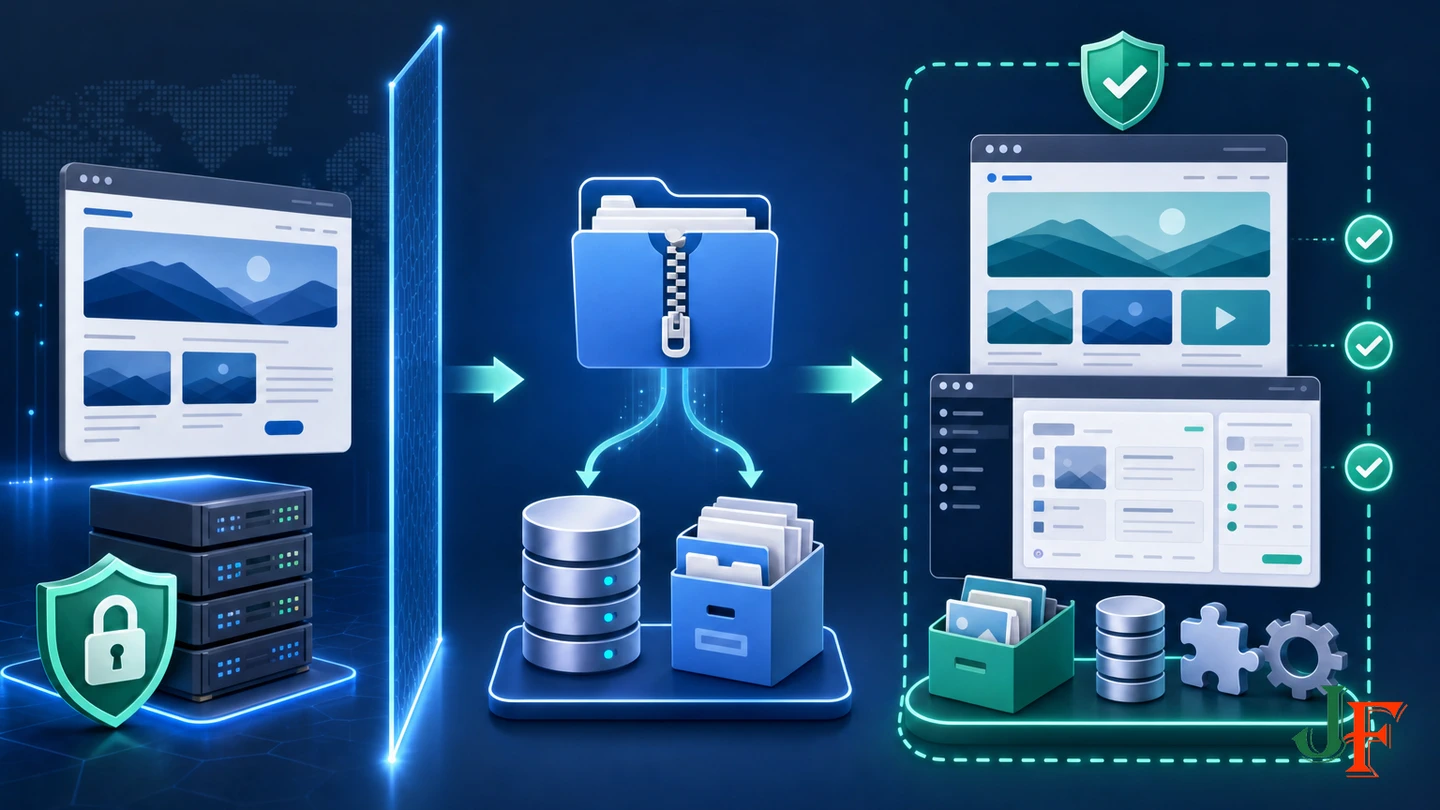
No supplied Joomla source specifies one universal restore-test interval. Use a risk-based approach: test before relying on a new backup system, after important hosting or backup-configuration changes, and periodically thereafter. A business-critical site should test more frequently than a low-risk brochure site, but the exact interval remains a business decision.
- Select a recent archive and its matching database and filesystem components.
- Restore it into an isolated staging environment rather than over the production website.
- Confirm that the front end loads and that administrator access works.
- Check representative articles, media, menus, forms, and business-critical extension data relevant to your site.
- Record the steps, problems, required credentials, and approximate effort so the process can be repeated during an emergency.
- Correct the backup or recovery configuration and repeat the test if anything is incomplete.
Official Joomla backup and security guidance recommends practicing restoration and having a tested recovery process. A successful backup job status alone cannot guarantee that the resulting archive is restorable.
restore a Joomla backup or use a staging copy before editing the production design.
Related guidance: set up a Joomla staging website.
Common mistakes and troubleshooting failed backups
Only the database or files were backed up
Check the job definition and resulting archive. Complete recovery requires both components. Database-only backups can supplement full backups but cannot replace them.
The newest backup is the only retained copy
Increase retention to preserve multiple generations. Verify that cleanup rules do not remove the last known-good recovery point after a failed job.
Backups stopped running
Review the scheduler, job history, notifications, permissions, execution limits, PHP CLI configuration where relevant, and host availability. Traffic-triggered scheduling may not start reliably on a quiet site and may run at an unsuitable time on a busy one.
The account is out of storage
Check hosting quota, archive sizes, temporary working space, and off-site transfer completion. A backup can fail when an account is near or over its quota, so capacity monitoring belongs in routine Joomla maintenance.
The host says backups are included
Ask for the exact scope, frequency, retention, storage location, failure behavior, restore method, and restore access. Hosting backups are useful only when their service meets the documented recovery objective.
A backup exists but has never been restored
Run a staging restoration. Do not treat archive creation, a success message, or a plausible file size as proof of recoverability.
Security warning: A backup may contain sensitive data or malware
Backup archives may contain personal or business data, configuration details, and credentials, so restrict and monitor access to them. They are a recovery control; they do not prevent a Joomla site from being compromised.
Do not blindly restore the newest backup after a security incident. Joomla's backup basics and security guidance warn that malicious files or unauthorized changes may already exist inside the backup. Identify a known-clean recovery point rather than assuming the newest copy is safe. A complete hacked-site incident-response procedure is outside the scope of this backup-frequency guide.
Performance, SEO, accessibility, and downtime implications
Backup work can use server resources, which is why Akeeba recommends lower-traffic scheduling for its product. Test the effect in your own hosting environment rather than assuming a particular schedule will have no production impact.
Backups do not directly improve search rankings, accessibility compliance, or page speed. As an operational inference, however, a tested recovery process can reduce downtime and permanent loss of content, metadata, redirects, templates, and configuration after a failure. It provides recovery capability, not an SEO, accessibility, security, or performance guarantee.
Joomla version support as of 2026-08-07
As of 2026-08-07, the Joomla Project Roadmap lists Joomla 6.1.2 and Joomla 5.4.7 as the current releases in their supported major series. It schedules the end of Joomla 5 regular bug-fix support for 2026-10-13 and security-only support for 2027-10-12. Joomla 6 regular bug-fix support is scheduled to end on 2028-10-17 and security-only support on 2029-10-16. These release numbers and dates are time-sensitive and must be rechecked before publication.
The official Joomla 4 downloads page states that Joomla 4 is no longer supported. The researched Akeeba Backup 10.3.7 compatibility listing included Joomla 4.4, Joomla 5.0 through 5.4, and Joomla 6.0 through 6.1 as of the research date. That technical extension compatibility does not make Joomla 4 a supported or secure CMS version.
For broader version-migration planning, Joomla 5 to Joomla 6 upgrade guide separately from child-template maintenance.
Frequently asked questions about Joomla backup frequency
How often should I back up a Joomla website?
Choose the interval from the maximum amount of recent data the business can afford to lose. Weekly may suit a nearly static site, daily is a practical baseline for many active business sites, and rapidly changing transactional or community sites may need several backups per day. Always add a separate backup before updates or substantial changes.
Is a weekly Joomla backup enough?
Only when the site changes infrequently and losing approximately one week of new content, leads, settings, or other data would be acceptable. Traffic alone is not the deciding factor.
Should I back up Joomla before every update?
Create a current, restorable backup before Joomla core updates. Backing up before extension changes, template changes, migrations, imports, and other substantial work is also prudent risk-based practice. This copy supplements rather than replaces the regular schedule.
Do I need both Joomla files and the database?
Yes, for a complete site backup. The database and filesystem contain different parts of the site. A database-only copy can supplement full backups but is not a complete recovery package.
Can I rely only on hosting-company backups?
Not without verifying their scope, schedule, retention, storage location, failure behavior, and restore access. Keep an independently controlled copy or otherwise confirm that the host's service meets your documented recovery objective.
How many Joomla backups should I retain?
Keep multiple generations. Legacy Joomla guidance recommends at least two previous full backups and offers weekly copies kept for one month as an example. Exact daily, weekly, and longer-term counts are business-policy decisions rather than an official Joomla standard.
How often should I test a restore?
There is no universal Joomla interval in the supplied sources. Test before depending on a new system, after material hosting or backup-configuration changes, and periodically thereafter according to business risk.
Sources
- Joomla! Project Roadmap — Joomla! Project.
- Joomla! Downloads - Joomla! 4.x Packages — Joomla! Project.
- Backup Basics for a Joomla! Web Site — Joomla! Documentation.
- What Are the Best Practices for Site Backups? — Joomla! Documentation.
- J4.x: Updating from an Existing Version — Joomla! Documentation.
- Security Checklist/Hosting and Server Setup — Joomla! Documentation.
- Akeeba Backup for Joomla: Automating Your Backup — Akeeba Ltd.
- Akeeba Backup for Joomla! 10.3.7 Stable — Akeeba Ltd.
- Backup Configuration — cPanel, L.L.C.
- Backup Retention Behavior — cPanel, L.L.C.
- Security Control Overlay of SP 800-53, Revision 5: Electronic Physical Access Control Systems — National Institute of Standards and Technology.
- Recovery Point Objective - CSRC Glossary — National Institute of Standards and Technology.

Add comment