
Choosing safe Joomla extensions is not simply a matter of finding the highest rating or the newest release. Every third-party component, plugin, module, template, or package adds code that must be trusted, updated, tested, and eventually removed or replaced. For a business website, that makes extension selection a software-supply-chain and lifecycle-management decision.
No directory badge, review score, payment model, or checklist can guarantee that an extension contains no vulnerabilities. A careful process can, however, reduce risk. This tutorial shows Joomla beginners and business owners how to examine compatibility, maintenance history, vulnerability records, developer behavior, documentation, support, update delivery, and package sources. It also explains how to test an extension safely before production and how to manage it after installation. Joomla 6 is the primary context, with relevant Joomla 5 notes based on the supported-version information available as of 13 August 2026.
What a safe Joomla extension really means
A third-party extension becomes part of your site's software supply chain. Depending on what it does, its code may access Joomla functionality, process site data, or run with application privileges. OWASP identifies vulnerable, outdated, unsupported, unmaintained, and non-updateable third-party components as software-supply-chain risks. The practical goal is therefore not to find a product that is guaranteed safe, but to select a necessary extension with credible evidence of ongoing maintenance and a manageable risk profile. See the OWASP software supply chain guidance and Joomla's security setup checklist.
Recent releases, favorable reviews, an official listing, and a professional website are useful signals. None proves that code is free of known or undisclosed vulnerabilities. Think in terms of evidence: Is the extension necessary? Does it support your exact environment? Can it be updated reliably? Does the developer respond responsibly to security reports? Can you test and remove it without unacceptable business disruption?
Current Joomla 6 and Joomla 5 context
As of 13 August 2026, the official Joomla Project Roadmap identified Joomla 6.1.2 and Joomla 5.4.7 as the current releases. Joomla 6 was the current feature series. Joomla 5 was a supported legacy series in bug-fix mode; the roadmap scheduled the end of its regular bug-fix support for 13 October 2026 and security-only support through 12 October 2027. The term legacy does not mean that Joomla 5 was unsupported on that date.
Version information changes, so evaluate an extension against the Joomla release actually installed on your site. A broad statement such as “Joomla 6 compatible” does not establish support for every Joomla 6 minor release, PHP version, database, dependency, or hosting configuration.
Related guidance: planning a Joomla 5 to Joomla 6 migration.
A step-by-step process for choosing safe Joomla extensions

Use the following workflow before installing a Joomla component, plugin, module, template, or package. Record the results so another site administrator can understand why the extension was accepted.
Step 1: Define the smallest necessary feature set
Write down the business requirement before searching. Separate essential functions from attractive extras, then look for the smallest product that satisfies the real requirement. Joomla security guidance recommends installing only needed extensions and removing unused ones, while OWASP recommends eliminating unused dependencies. There is no evidence-based universal maximum number of Joomla extensions; the better rule is to keep only code that provides necessary value and that your organization can test, monitor, and patch.
Also consider what the extension will process. An extension that handles accounts, uploaded files, payments, confidential records, routing, or broadly executed requests deserves more scrutiny than a narrowly scoped convenience feature. Extension type alone is not a security grade.
Step 2: Use the Joomla Extension Directory as a starting point
The Joomla Extension Directory, or JED, is useful for discovering products and comparing listing information. Its listings can expose details such as the developer, extension version, type, compatibility, updates, reviews, and other products from the developer, as described in the JED guide to locating extensions.
JED also applies meaningful publication checks. Its entry checklists do not permit extensions currently listed on the Vulnerable Extensions List, products that require 777 permissions to install or run, or products that need installation hacks or modify Joomla core files.
Important: A JED listing is a useful trust signal, not a comprehensive security audit. Official Joomla guidance states that listed extensions are not comprehensively reviewed for code quality or coding-standard compliance. Continue with the compatibility, maintenance, vulnerability, source, and staging checks below.
Step 3: Confirm exact Joomla, PHP, database, and hosting compatibility
Open the candidate developer's current documentation and record the supported environment. Do not rely only on a directory badge, search result, or old screenshot. Check all of the following:
- Your exact Joomla major and minor release.
- The PHP version used by production and staging.
- Your database product and version.
- Any required PHP extensions, Joomla plugins, libraries, services, or other dependencies.
- Any relevant web-server or hosting restrictions.
- Whether an upgrade or migration procedure is required from the version already installed.
If the documentation is vague, obsolete, or does not match the downloadable package, ask the developer for clarification before purchase or installation. Compatibility is package- and environment-specific; it cannot be inferred from the Joomla major version alone.
Step 4: Distinguish native Joomla 6 support from compatibility-plugin operation
For Joomla 6, determine whether the extension is designed to run natively or depends on the Behaviour - Backward Compatibility 6 plugin. These are not equivalent claims. According to Joomla's Compatibility Plugins documentation, that plugin must be installed and enabled for the documented Joomla 5.4-to-6 upgrade path. It is installed and enabled by default in Joomla 5.4 in preparation for that upgrade. On a new Joomla 6 installation, it is installed but disabled by default.
Ask the vendor which mode the exact package supports, whether any dependencies also need compatibility support, and what migration path is planned. Test the answer on a copy of your actual site. Operation through the compatibility plugin must not be reported as proof of native Joomla 6 compatibility.
Step 5: Review releases, changelogs, and update delivery
Do not reduce maintenance quality to the date of the latest release. Read several changelog entries and look for continuing Joomla and PHP compatibility work, clearly described fixes, migration notes, and evidence that security issues can be addressed promptly. A stable, narrowly scoped extension might not need frequent feature releases, while a regularly changing integration might require more frequent maintenance.
An older official JED article on choosing secure extensions suggested treating more than one year without a release as abandonment. Because that page references obsolete Joomla versions, use the one-year figure only as a historical heuristic that prompts more investigation. It is not a current universal rule, formal proof of abandonment, or evidence that the product is vulnerable.
Update delivery matters. New extensions uploaded to JED after 10 January 2017 are required to use the Joomla Update System. Some older listings without an update server may remain, but users receive a manual-update warning. The update system allows developers to notify administrators when new extension versions are available; it does not remove the need for backups, compatibility checks, and staging tests. See the official Joomla Update System Requirement.
Related guidance: understanding Joomla update sites.
Related guidance: managing Joomla extension updates.
Step 6: Search vulnerability and abandoned-extension records
Before installing, search the extension's name, package name, former names, and exact proposed version. Start with the official Joomla Vulnerable Extensions List. In its vulnerable category, the listed affected extension versions have no known patch, and Joomla recommends uninstalling them. Apply that conclusion only to the versions identified by the current record.
Check the official Abandoned Extensions records as well. An abandoned product is one for which owner or manufacturer support is unavailable. It may or may not have a known vulnerability, but absent support raises the risk that future compatibility or security problems will remain unresolved.
For a business site, also examine vendor advisories and broader public vulnerability sources such as CVE, NVD, GitHub Advisory Database, or OSV records. The Joomla Project maintains the VEL and acts as a CVE Numbering Authority for Joomla extension vulnerabilities; reports concerning third-party extensions are directed to the vendor, according to the Joomla security guidance.
A clean search means only that you found no matching public report at the time checked. It does not prove that the extension has no vulnerabilities. Record the search date and repeat the check immediately before installation.
Step 7: Evaluate the developer's observable security behavior
Reputation should be based on evidence rather than brand familiarity or marketing. Look for:
- An identifiable developer or organization with a maintained official website or repository.
- Transparent changelogs and downloadable versions that match the documentation.
- A clear method for privately reporting a vulnerability.
- Evidence of continued compatibility and timely security fixes when issues arise.
- Current installation, update, migration, and troubleshooting instructions.
- An active support channel or community with useful developer participation.
No universal support-response time is established by the supplied evidence. Instead of inventing a required service level, compare the vendor's published support terms with repeated, recent customer experiences. A large number of reviews cannot prove that future security fixes will be prompt.
Step 8: Read recent reviews critically
Use reviews to learn about real-world functionality, documentation, update experiences, and support. Read recent detailed reviews, critical reviews, and any developer responses instead of relying on the star total. Confirm that the review discusses a recent extension release and a Joomla version relevant to your site.
The JED aggregate score is not a simple security grade. Its documented system accounts for review count, trims a percentage of top and bottom reviews to reduce anomalies, delays the inclusion of new reviews for seven days, and reduces review influence over two years. See the JED Review Scoring Overview. These adjustments explain how the score is calculated; they do not turn reviews into a code audit or prove future security responsiveness.
Step 9: Assess documentation, support, and update entitlement
Useful documentation should cover installation, configuration, updates, supported Joomla/PHP/database versions, migrations, known limitations, dependencies, uninstall behavior, and troubleshooting. Look for a changelog, support terms, and a vulnerability-reporting route. Instructions should match the current package and administrator interface rather than only obsolete versions.
For a commercial product, verify whether a current subscription, account, or download key is required to receive updates. Entitlement models vary by vendor, so do not assume that a previous purchase provides permanent patch access. Record renewal details in the site's maintenance calendar. A paid extension is not inherently safer than a free one; compare update delivery, source integrity, compatibility, documentation, privileges, support continuity, and security response.
Step 10: Download only from an official trusted source
Obtain the installation package from the official developer or another trusted official distribution channel identified by that developer. Avoid unofficial, modified, or warez copies, even when the original product is legitimate. Such packages create additional malware and integrity risks. This official-source practice is recommended by both OWASP and Joomla's security checklist.
Keep a record of where the package came from, its version, the download date, and the account or entitlement used. If the developer publishes package-integrity instructions, follow those current instructions.
Step 11: Back up and test on staging
Before installation or updating, create a complete backup of both site files and the database. Verify that the backup can be restored; merely creating an archive is not a complete rollback plan. Joomla security guidance recommends backing up files and the database and testing extensions on a development site before production.
- Clone the relevant production configuration to a development or staging environment.
- Confirm that staging uses representative Joomla, PHP, database, dependency, and configuration versions.
- Install the package from the verified official source.
- Test installation, configuration, normal use, updating, disabling, and any documented removal process.
- Review Joomla, PHP, web-server, and extension logs for new warnings or failures.
- Test administrator and front-end workflows, including account permissions and error handling.
- Prepare and document the rollback procedure before touching production.
create and verify a Joomla backup before updating or use a staging copy before editing the production design.
Related guidance: create a Joomla staging site.
Related guidance: use Joomla logs for troubleshooting.
Step 12: Run business acceptance tests
Security status does not establish performance, accessibility, or SEO quality. Those properties are extension-specific and require hands-on testing. Depending on what the extension changes, check page speed, database growth, scheduled tasks, outbound connections, file permissions, mobile behavior, generated-interface accessibility, URL changes, redirects, routing, and metadata. If the extension processes forms, uploads, accounts, or confidential data, include representative permission and error-handling tests.
These tests are recommendations, not automatic benefits of choosing a JED-listed or recently updated extension. Record baseline results and compare them with staging after installation. A candidate that is acceptable on one site may be unsuitable on another because the workload, hosting stack, integrations, or business requirements differ.
Related guidance: evaluate Joomla SEO extensions.
Step 13: Add the extension to a maintenance inventory
Risk management continues after installation. OWASP recommends maintaining a component inventory, monitoring vulnerability sources, obtaining software from trusted sources, removing unused dependencies, and maintaining an ongoing patch plan. For every Joomla extension, record:
- Extension and package name, type, purpose, and installed version.
- Developer, official download location, and vulnerability-reporting route.
- Supported Joomla, PHP, database, and dependency versions.
- Business owner and technical maintainer.
- Update method, update site, credentials, and vendor-specific entitlement details.
- Last vulnerability review, staging test, production update, and next review date.
- Backup, rollback, replacement, and removal notes.
Remove unused extensions and check for residual files or data rather than assuming uninstallation always removes everything. Continue monitoring VEL, vendor, CVE, and other relevant advisories. Test updates with a verified backup and rollback plan instead of assuming that every extension should be updated automatically without staging.
Related guidance: remove unused Joomla extensions safely.
Red flags that should stop or delay installation
- The required feature is not necessary enough to justify the additional lifecycle burden.
- The vendor cannot confirm the exact Joomla, PHP, database, dependency, or hosting requirements.
- A Joomla 6 claim does not explain whether compatibility is native or plugin-dependent.
- The relevant version appears in the VEL vulnerable category.
- The product is abandoned or no active support route can be found.
- The package comes from an unofficial or modified distribution source.
- There is no workable update route, changelog, or explanation of manual updating.
- Installation requires Joomla core hacks or 777 permissions.
- Documentation is materially obsolete or no vulnerability-reporting route is available.
- You cannot create a verified restorable backup, representative staging test, or rollback plan.
How to compare two similar Joomla extensions
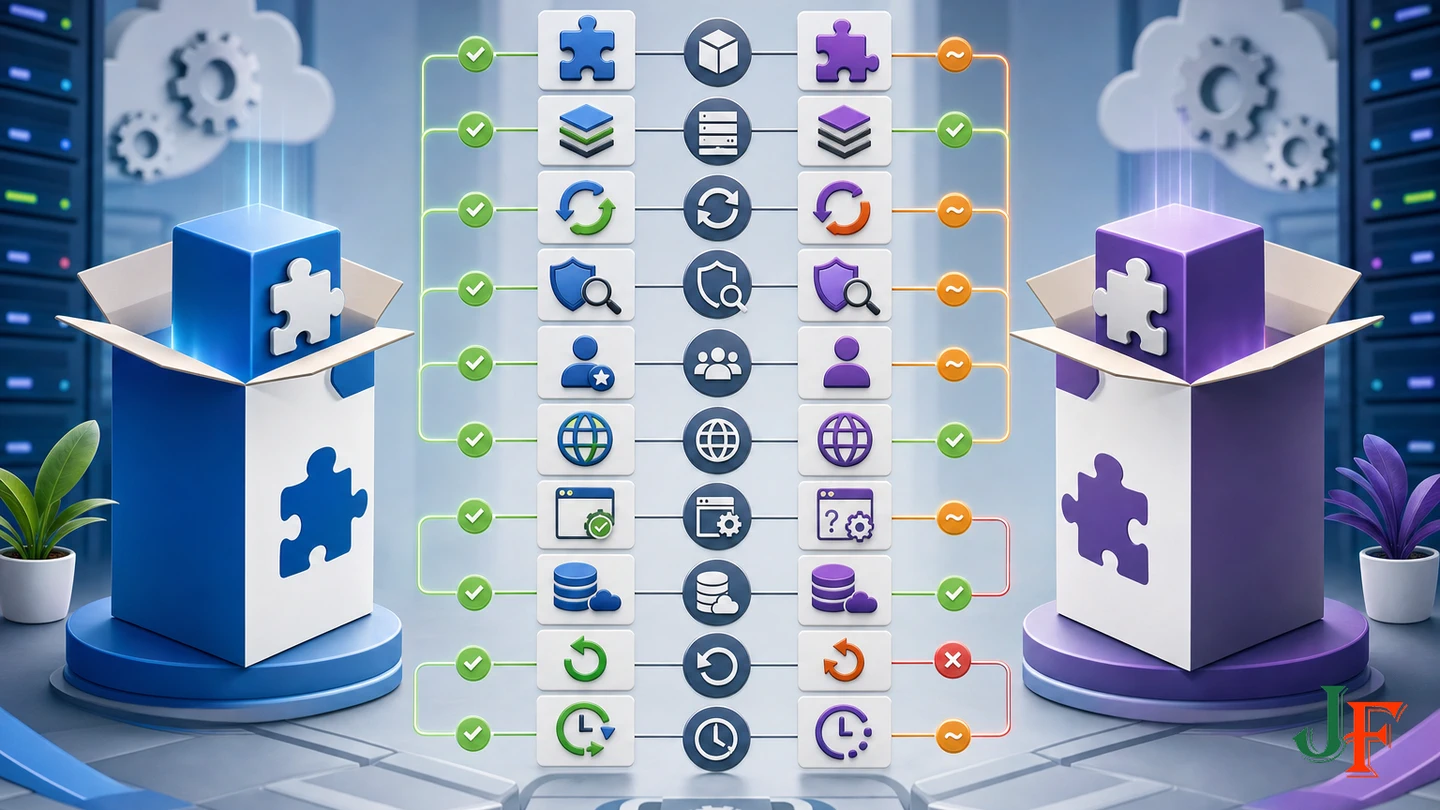
Use a written comparison rather than choosing on star rating or price alone.
| Question | Evidence to collect |
|---|---|
| Is the feature necessary? | Document the business requirement and which candidate meets it with less unnecessary scope. |
| Is it compatible? | Record exact Joomla, PHP, database, dependency, and hosting support from current vendor documentation. |
| Is Joomla 6 support native? | Record the vendor's statement and staging result, distinguishing native support from compatibility-plugin dependence. |
| Can it be updated? | Compare update channels, changelogs, migration notes, and any vendor-specific entitlement requirements. |
| What does public security research show? | Record dated VEL, vendor-advisory, CVE, NVD, and other relevant searches without treating a clean result as proof of safety. |
| How does the developer behave? | Compare identity, continued maintenance, disclosure route, documentation, support terms, and evidence of security response. |
| What do users report? | Summarize recent detailed reports about functionality, documentation, updates, and support; do not convert ratings into a security grade. |
| Can your site operate it safely? | Compare staging results, logs, permissions, performance, accessibility, SEO effects, backup, rollback, and replacement plans. |
Choose the candidate with the strongest relevant evidence and the most manageable lifecycle, not necessarily the most features, the highest rating, or the highest price.
Joomla component versus plugin: type does not equal safety
A Joomla component is not inherently safer or more dangerous than a plugin. Type describes how an extension participates in Joomla; it is not a security rating. Evaluate when the code executes, what privileges and data it uses, what input it processes, whether its functionality is necessary, and how the developer maintains it. A small plugin can still present significant risk if it executes broadly or handles untrusted input.
What to do if an installed extension becomes vulnerable or abandoned

If the installed version appears in the current VEL vulnerable category, Joomla reports no known patch for that listed version and recommends uninstalling it. Protect the site using a verified backup and rollback plan, assess which data and functionality are affected, and remove the affected code or replace the feature. If another official record or the vendor identifies a patched release, verify the applicable fixed version from that current record, update on staging, and complete the full acceptance test before production.
If the extension is abandoned, plan a replacement even when no vulnerability is publicly known. Unsupported software can become incompatible or remain unpatched when a future issue is discovered. Before removal, identify dependencies, integrations, stored data, URLs, and business workflows. After uninstallation, check for residual files or data and retest the site rather than assuming the removal process clears everything.
Safe Joomla extension evaluation checklist
- The feature is necessary and appropriately scoped.
- Exact Joomla, PHP, database, hosting, and dependency compatibility is documented.
- Native Joomla 6 support and compatibility-plugin dependence are clearly distinguished.
- Release history, changelogs, migration notes, and update delivery have been reviewed.
- Current VEL, abandoned-extension, vendor, and broader vulnerability records have been checked.
- The developer is identifiable and provides current documentation, support, and a security contact.
- Recent detailed reviews have been read without treating ratings as a security audit.
- Commercial update credentials or entitlements have been verified where applicable.
- The package comes from an official trusted source.
- A complete restorable files-and-database backup and rollback plan exist.
- Installation, updating, logs, permissions, workflows, performance, accessibility, and SEO effects have been tested on staging as relevant.
- The extension has been added to an ongoing maintenance and vulnerability-monitoring inventory.
Frequently asked questions
Are all extensions in the Joomla Extension Directory safe?
No. JED rejects several clear red flags, including currently vulnerable extensions, core hacks, and 777 permission requirements, but its listing process is not a comprehensive code-quality or security audit. Treat the listing as one useful signal and complete the other checks in this tutorial.
How often should a safe Joomla extension be updated?
There is no current universal interval that guarantees safety. Examine compatibility work, transparent release notes, security responsiveness, update delivery, and project continuity. The older one-year inactivity suggestion is only a historically dated heuristic, not a rule that automatically makes an extension vulnerable or abandoned.
Is a paid extension safer than a free one?
Not inherently. Compare maintenance, security response, update delivery, source integrity, compatibility, documentation, privileges, and support. For a paid product, verify the vendor's current subscription, credential, and update-entitlement requirements.
Does a clean VEL or CVE search prove that an extension is safe?
No. It means only that no matching public report was found during that search. Search aliases and exact versions, record the date, and repeat the check before installation while continuing to evaluate maintenance and source integrity.
How many extensions should a Joomla site have?
There is no universal safe maximum. Install only extensions that provide necessary business value, record an owner and purpose for each one, and remove unused code. Every retained extension adds inventory, testing, monitoring, and patching work.
What should I test before installation on a live business site?
Verify a complete files-and-database backup, clone the site to representative staging, install and update the extension there, review logs, and test administrator and front-end workflows. Also test permissions, performance, database growth, scheduled tasks, outbound connections, mobile behavior, accessibility, URLs, routing, and metadata where relevant to the extension.
Sources
- Joomla! Project Roadmap, Joomla! Project.
- Compatibility Plugins, Joomla! Programmers Documentation.
- Choosing Secure Extensions, Joomla! Extensions Directory. Its version-specific references are historical.
- Locating Extensions, Joomla! Extensions Directory.
- Review Scoring Overview, Joomla! Extensions Directory.
- JED Entries Checklists, Joomla! Extensions Directory.
- Joomla! Update System Requirement, Joomla! Extensions Directory.
- Vulnerable Extensions, Joomla! Extensions Directory Vulnerable Extensions List.
- Abandoned Extensions, Joomla! Extensions Directory Vulnerable Extensions List.
- Joomla! Security, Joomla! Project Security Strike Team.
- A03:2025 Software Supply Chain Failures, OWASP Foundation.
- Security Checklist/Joomla! Setup, Joomla! Documentation.

Add comment